ShelfScreen

Beta: price intelligence for brands, retailers, e-commerce and hotels

Every competitor’s price, exactly as your customers see it

Prices, promotions, stock and price changes at every competitor, each with an image of the page it was read from.
  • Only your domain to start
  • Nothing to install
  • Daily or weekly updates
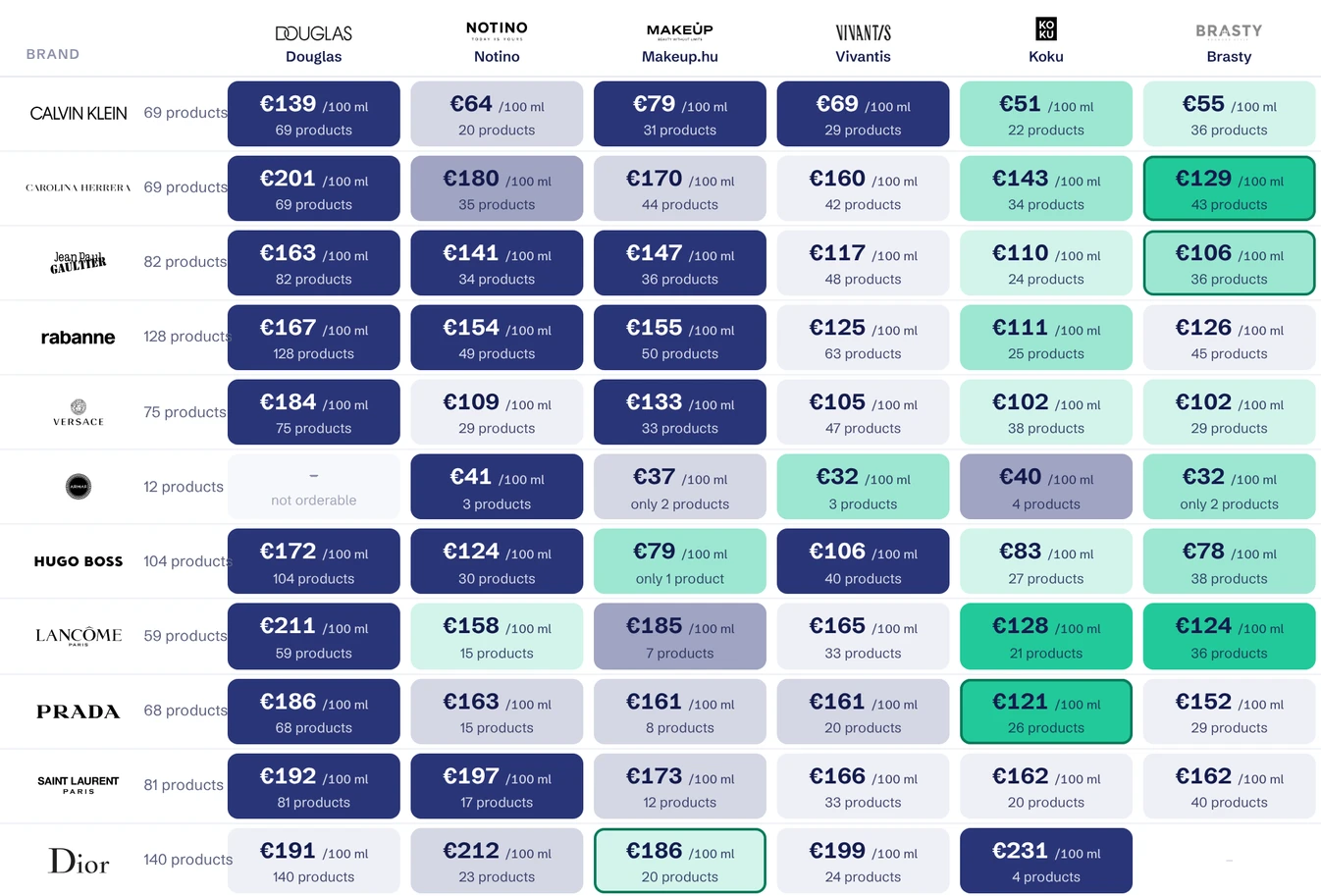
Price matrix Perfume, brands by shop Read 8 Oct, 20:10
Perfume price matrix: eleven brands at Douglas, Notino, Makeup.hu, Vivantis, Koku and Brasty, median €/100 ml per cell, coloured by distance from the brand’s median
Brand Douglas Notino Calvin Klein €139 /100 ml69 products €64 /100 ml20 products Carolina Herrera €201 /100 ml69 products €180 /100 ml35 products Jean Paul Gaultier €163 /100 ml82 products €141 /100 ml34 products Rabanne €167 /100 ml128 products €154 /100 ml49 products Versace €184 /100 ml75 products €109 /100 ml29 products

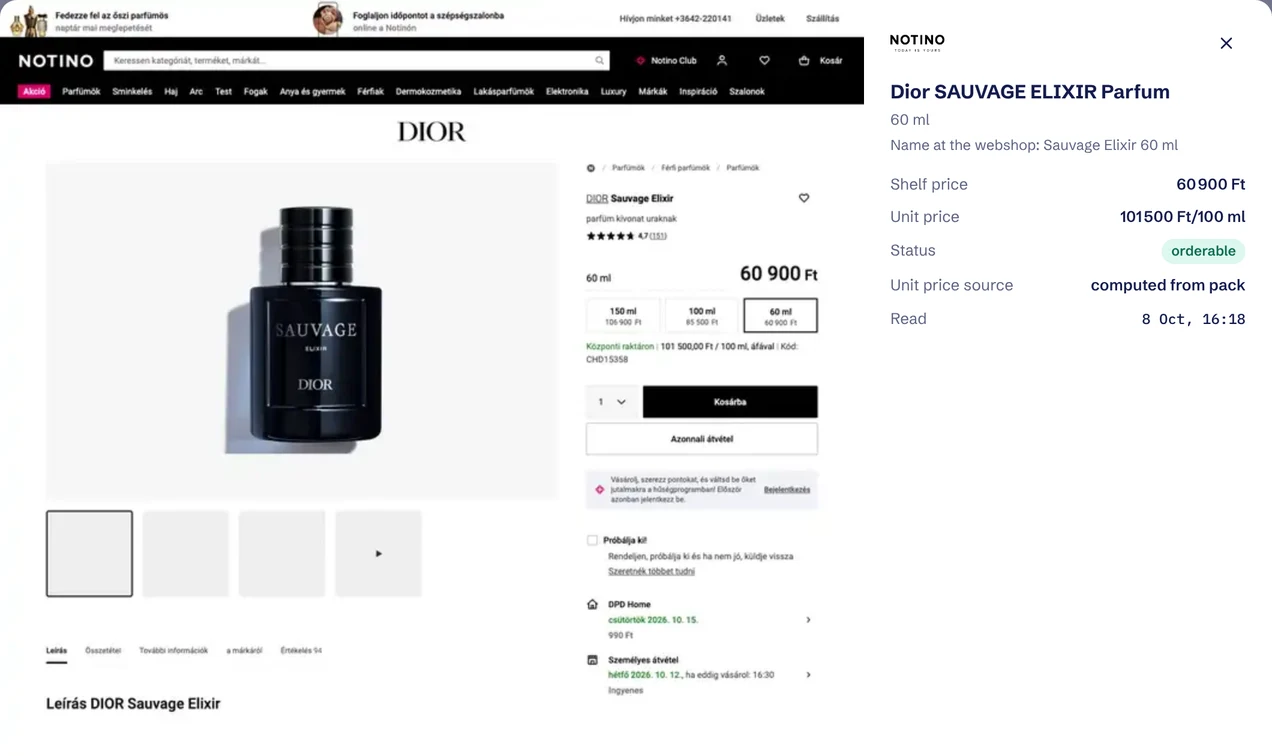
Read from a competitor’s page

Dior Sauvage Elixir, 60 ml, at Notino

Shelf price
€166.62
Unit price
€277.70/100 ml
Status
orderable
Read
8 Oct, 16:18
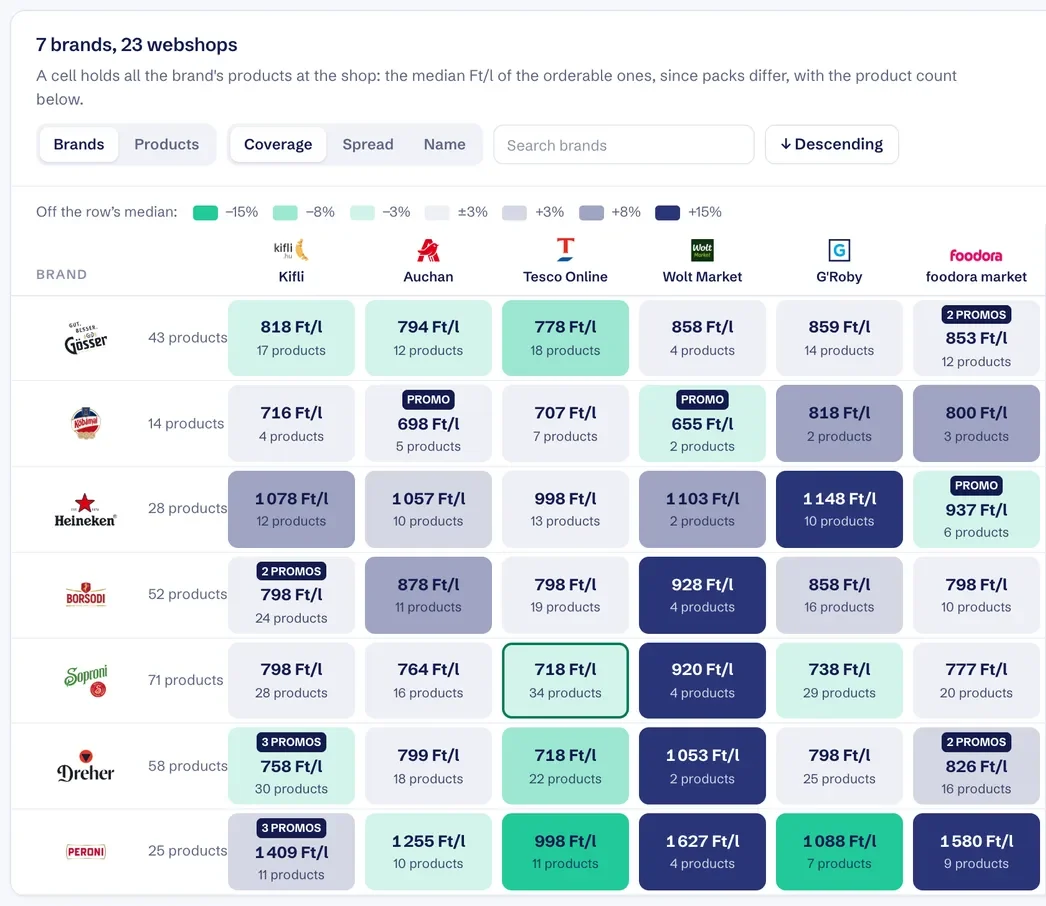
The same perfume at two shops +281% the largest price gap found for one product across 10 webshops.

Built for how you sell

The same readings answer different questions for a brand, a retailer, an online store or a hotel. Pick yours.
Live study

Every number comes with the page it was read from

Click any price and you get the image of the competitor’s page, the time of the reading and every field taken from it.
  • A real browser reads every pageIt accepts the cookie banner, passes the age gate and sets a delivery address, like a customer would.
  • Works on any public siteNo API and no scraper written per site. Webshops, marketplaces, delivery apps and booking sites are read the same way.
  • Checked against the page’s own dataProducts are matched by brand, product, type and size. A price that disagrees with the page’s product data stays out of the charts.
Evidence: a perfume product page image beside the fields read from it, shelf price, unit price, status and reading time

Start with your domain

Nothing to install and nothing to connect. A short wizard asks for the rest.

  1. Enter your domain We read your site and work out your industry, your categories and your products.
  2. Confirm the details The wizard shows what it found. You check the country, the competitors and the products to follow, and choose daily or weekly readings.
  3. Open your dashboard The first readings arrive in your dashboard, in English or Hungarian, with the page image behind every price.

Your questions, answered Then try it on your market